
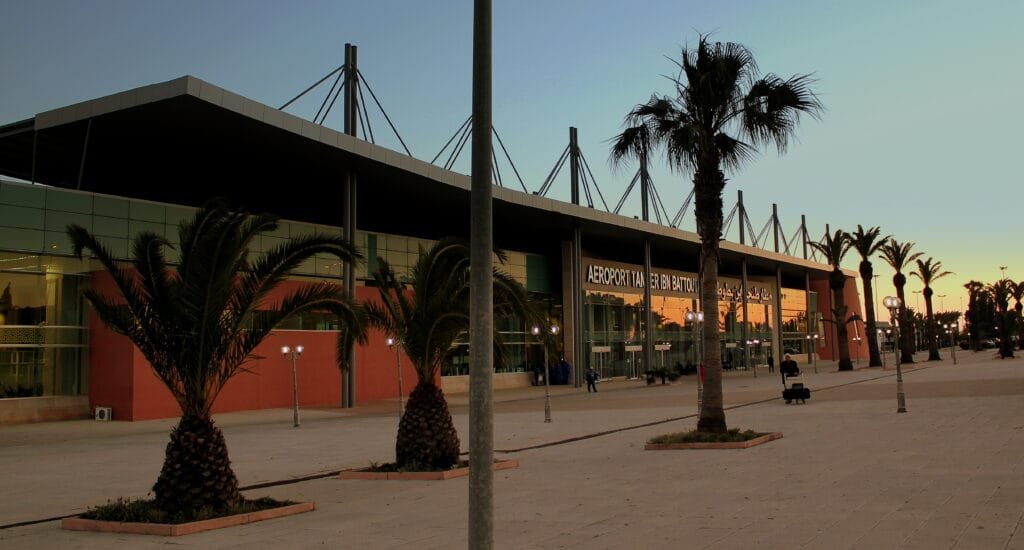
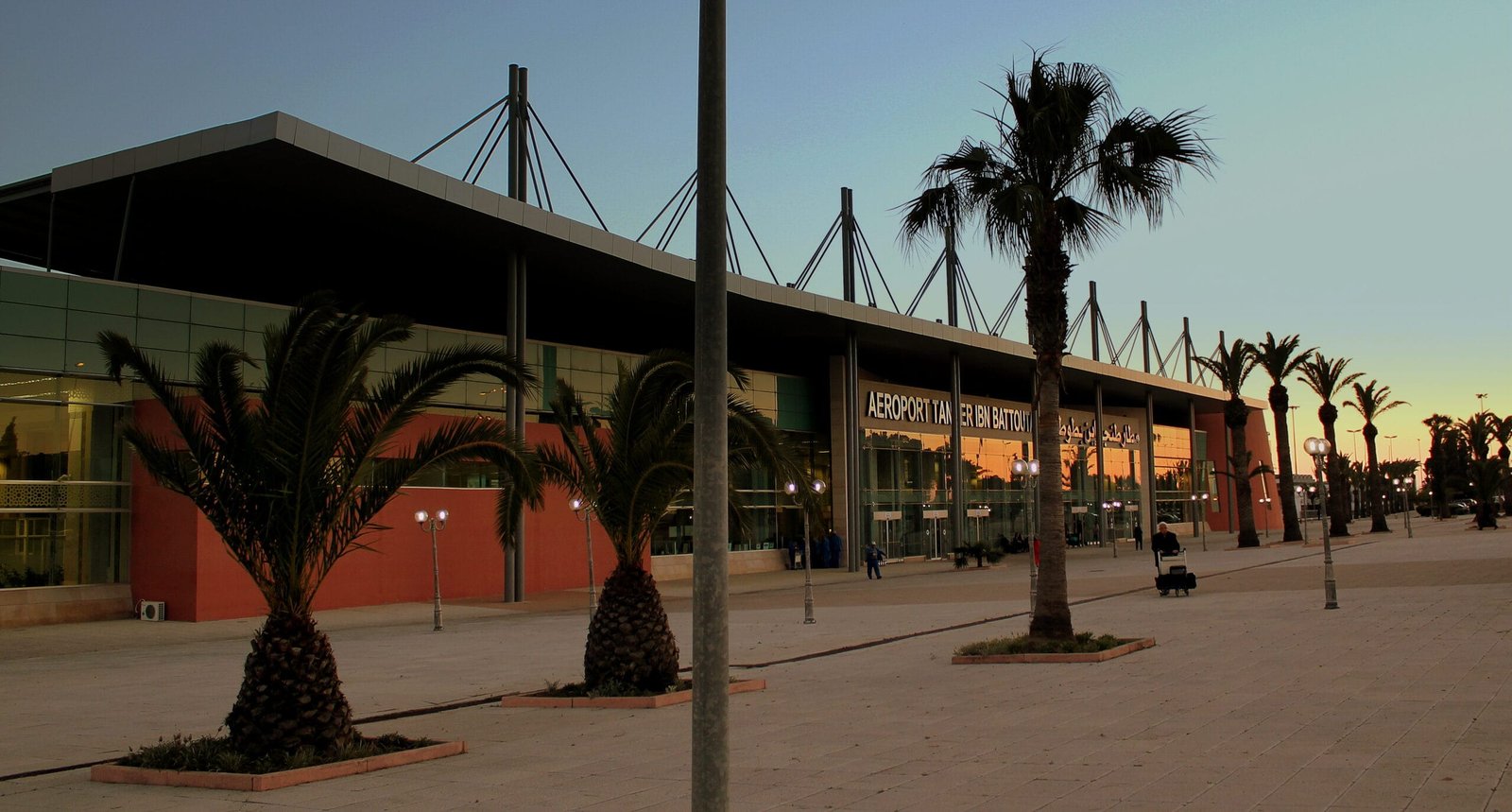
Just landed in Tangier and looking to get online as fast as possible? Good news: the Tangier airport WiFi at Ibn Battouta (IATA code TNG) is free and available to all travellers, with no purchase or booking required. Simply select the network provided by ONDA, the National Airports Office, then accept the terms of use on the portal that appears. Within seconds you can message your loved ones, call a taxi, open your boarding pass or check your route into the city centre.
In this independent, up-to-date guide, we walk you step by step through how to connect to the Tangier airport WiFi, where the signal is strongest inside the terminal, what to do when the connection is slow or drops, and above all what the real alternatives are (local SIM card, eSIM, roaming) to stay connected without any nasty surprises. We finish with the ways to reach Tangier — bus, taxi and the Al Boraq high-speed train — all while keeping the internet in your pocket. Our goal: that you never lose the thread, from stepping off the plane to reaching your hotel.
In brief: the WiFi at Tangier airport
- Free WiFi open to all passengers inside the TNG terminal (operated by ONDA).
- Connection via a portal: choose the network, accept the terms, and you’re good to go.
- Fine for the essentials: messaging, email, boarding passes, browsing, light VoIP calls.
- Reliable alternatives: prepaid SIM card (IAM / Orange / Inwi), an eSIM bought before you leave, or roaming.
- Security tip: on public WiFi, switch on a VPN and avoid sensitive banking operations.
- Getting to Tangier: bus, grand taxi, then the Al Boraq train from Tanger-Ville station (not from the airport).
Free WiFi at Ibn Battouta airport: connecting, portal, duration and speed
Tangier-Ibn Battouta airport is run by ONDA (the National Airports Office), the public body that operates all of Morocco’s civil airports. As at the kingdom’s other major hubs, a free WiFi service is made available to travellers inside the terminal. You therefore don’t need to pay, create a complicated account or buy anything to get online once you’re inside the terminal.
How to connect to the Tangier airport WiFi, step by step
- Turn on the WiFi on your smartphone, tablet or laptop.
- Open the list of available networks and spot the airport’s public network (usually identified by a name related to the airport or ONDA). Choose the open network that isn’t password-protected.
- Wait for the login portal to open (also known as a “captive portal”). On most phones a page opens automatically; if it doesn’t, open your browser and type any address to force it to appear.
- Accept the terms of use and confirm. Depending on the setup, you may be asked for a simple confirmation or a few basic details.
- You’re online. Check that the WiFi icon is active and launch your app or web page.
If the portal page refuses to appear, a very effective trick is to type an http:// URL (not https://) into the address bar, for example a neutral information page. Captive portals intercept unencrypted requests more easily, which triggers the login window to open. Also remember to temporarily disable your VPN while you pass through the portal, then switch it back on once connected.
Duration, limits and speed: what to expect
Airport WiFi is designed for transit use: checking your email, opening your boarding pass, letting a loved one know you’ve arrived, calling a driver or verifying a connection. For these tasks, the speed is generally sufficient. On the other hand, as everywhere in the world, a public network shared by hundreds of passengers can experience slowdowns at peak times, particularly when several flights arrive or depart at once. The quality can therefore vary from one moment of the day to another.
Some airport WiFi sessions impose a time limit or a periodic reconnection via the portal. If your connection drops after a while, in most cases you simply reopen the portal and confirm again. Our advice: don’t rely on the terminal WiFi to download large files, update bulky apps or watch high-definition videos. Keep it for the essentials, and have a backup (SIM or eSIM) for your heavier needs, especially once you’ve left the airport.
Where the signal is strongest inside Tangier terminal
WiFi coverage is designed to reach the areas where travellers spend the most time. In practice, you’ll generally get the best signal in the following places:
- The departures hall and the area around the check-in counters, where you wait before dropping off your bags.
- The boarding lounges and the waiting areas near the gates, often fitted with seats and power sockets.
- The arrivals hall and the baggage reclaim area, handy for calling a taxi or letting the person picking you up know you’ve arrived.
- The dining areas and cafés, where the signal is generally stable.
Conversely, the signal may weaken in corners far from the access points, in certain corridors, in the restrooms or near the large glass façades and metal structures that hamper the spread of radio waves. If your connection is poor at a particular spot, move a few metres towards a main waiting area: that’s often enough to regain a decent speed. Where possible, also move closer to the busiest areas, which are generally better covered.
What to do if the WiFi is slow, congested or down
Temperamental WiFi is nothing unusual at an airport. Before giving up, try this short checklist that solves the vast majority of connection problems:
- Forget the network, then reconnect. In your WiFi settings, select “forget this network”, then reconnect from scratch to relaunch the portal.
- Turn the WiFi off and back on, or switch to aeroplane mode for a few seconds before turning it off. This forces your device to search for the best access point.
- Disable your VPN while you confirm the captive portal, then switch it back on once you’re online.
- Clear your browser cache or open a private browsing window to prevent an old portal page from staying in memory.
- Change location. Move closer to a main waiting area or a café where the signal is stronger.
- Restart your phone if nothing works: it’s basic, but surprisingly effective.
If, despite everything, the WiFi remains unusable — congestion at a peak hour, an occasional outage, a portal that refuses to load — the best defence is to have planned a backup solution. That’s the whole point of a local SIM card or an eSIM: you stay in control of your connection, regardless of the state of the public network. We detail these options just below.
Alternatives to WiFi: SIM card at the airport, eSIM and roaming
The terminal WiFi is perfect in a pinch, but it stops at the airport doors. As soon as you get into a taxi or a bus, you lose the connection. To stay reachable everywhere in Tangier and beyond, there are three solutions: the local SIM card, the eSIM and international roaming. Here’s how to choose.
1. The local SIM card (IAM, Orange, Inwi)
Morocco has three mobile operators: Maroc Telecom (IAM), Orange Maroc and Inwi. All offer prepaid SIM cards with tourist data plans that are very affordable compared with European rates. It’s the most economical solution if you’re staying several days and want plenty of data. The operator shops and points of sale found in Morocco’s airports sell these SIMs, and activation is done on presentation of your passport (buyer identification is mandatory in Morocco, in line with the regulations of the ANRT, the National Telecommunications Regulatory Agency).
Remember to check that your phone is unlocked (not tied to a single operator) before you leave, otherwise the local SIM won’t work. If no shop is open when you arrive (a night flight, for example), you can always buy your SIM in town the next day, at one of the many outlets in central Tangier. In the meantime, the airport WiFi or an eSIM will take over.
2. The eSIM, the champion of simplicity
If your smartphone is eSIM-compatible (most recent models are), it’s often the most convenient option. You buy a data plan for Morocco even before you leave, you scan a QR code, and your connection activates automatically the moment you land — without going to a shop, without swapping a physical card, and without even depending on the airport WiFi. You step off the plane already connected. It’s ideal for short stays and for anyone who wants zero friction. Small drawback: the price per gigabyte is generally a little higher than that of a prepaid local SIM.
3. Roaming with your usual operator
The technically simplest solution — you have nothing to do, your usual number works — is also the riskiest for your wallet. Outside zones where roaming is included, roaming rates in Morocco can be very high. Before you leave, contact your operator to find out the applicable charges or to take out a travel option. Also check your phone’s settings to prevent apps from using data in the background without your knowledge. For many travellers, roaming only makes sense for very occasional use; beyond that, a local SIM or an eSIM are far more cost-effective.
Comparison: free WiFi, SIM card and eSIM
To choose at a glance the best option for internet at Tangier airport based on your profile, here’s a summary table. The prices are given as an indicative guide and change according to the offers of the moment.
| Criterion | Free airport WiFi | Local SIM card | eSIM |
|---|---|---|---|
| Cost | Free | Very economical (from a few dozen MAD / €2-5) | Moderate (often €5-20 depending on the plan) |
| Where to get it | On site, in the terminal | Shop/point of sale at the airport or in town | Online, before departure |
| Setup | Immediate (portal) | A few minutes + passport | Scan a QR code, auto activation |
| Coverage | Only within the airport | All of Morocco | All of Morocco |
| Ideal for | Quick fix in transit | Long stays, heavy data needs | Short stays, maximum simplicity |
| Main limitation | Variable speed, stops at the doors | Phone must be unlocked, bought on site | Price per GB slightly higher |
In short: the free WiFi perfectly covers your needs while waiting at the airport; the local SIM reigns supreme for a stay of several days; the eSIM combines simplicity with a connection from the moment you land. Many savvy travellers actually combine two solutions: the terminal WiFi for the first few minutes, then an eSIM or a local SIM for the rest of the trip.
Public WiFi and security: why (and how) to use a VPN
A public WiFi network, open and shared by nature, doesn’t offer the same level of protection as a private connection. That doesn’t mean you should avoid it, but rather that it’s wise to adopt a few common-sense habits to protect your data when you connect at Tangier airport — or in any public place.
- Switch on a VPN (virtual private network): it encrypts your traffic and makes your data unreadable to any snooper on the same network. It’s the most effective protection on public WiFi.
- Check for the HTTPS padlock in the address bar before entering a password or any sensitive information.
- Avoid banking operations and large payments while you’re on the airport WiFi; keep them for a trusted connection or your mobile data.
- Disable automatic connection to open networks so you don’t unknowingly join a dubious hotspot impersonating the official network’s name.
- Beware of networks with suspiciously similar names: if in doubt about the correct SSID, ask the airport staff.
- Keep your system up to date and enable two-factor authentication on your important accounts.
With these precautions, the free terminal WiFi remains a safe and practical tool for all your everyday uses. Install your VPN app before you travel, as it can be difficult to download it once you’re there if your connection is unstable.
Lounges and comfortable spaces to work
If you have a long wait, a connection or simply need to work in peace, Tangier airport has one or more lounges. These paid spaces — accessible by purchase, through certain premium bank cards or loyalty programmes — generally offer a quieter environment than the public halls: comfortable seating, snacks and drinks, easy-to-reach power sockets and, of course, a WiFi connection. For a traveller who needs to answer emails or take an important video call, it’s often a good compromise.
That said, a lounge isn’t essential to stay connected: the free terminal WiFi also covers the public waiting areas, and many seats near the boarding gates come with power sockets. Spot them as soon as you reach the boarding lounge to recharge your devices: a full battery is your guarantee of staying reachable all the way to your destination.
Staying connected on your way into Tangier: bus, taxi and the Al Boraq train
Ibn Battouta airport lies about a dozen kilometres south-west of central Tangier. Once you’ve got your connection sorted (SIM, eSIM or mobile data), you can follow your journey in real time, call a driver or check the timetables. Here are the main options for reaching the city.
The bus
A bus line serves the airport and runs to the city centre. It’s the most economical option, with an indicative fare of a few to a few dozen dirhams depending on the line (roughly €0.50 to €4). The journey takes longer than by taxi and depends on the frequency, which is often reduced in the evening. Before you set off, check the timetables online using your mobile connection: that’s a great use for the airport WiFi just before you leave.
The taxi (grand taxi)
The taxi is the fastest and most direct way: allow around 15 to 20 minutes to the centre. The fares for grands taxis departing from the airport are regulated. As an indicative guide, expect to budget in the region of 150 to 250 MAD (about €14 to €25) depending on the time — night trips being more expensive. Always confirm the price with the driver before getting in to avoid any misunderstanding. An active connection lets you compare, follow the route and keep a record of your trip.
The Al Boraq high-speed train (HSR)
Tangier is the starting point of the Al Boraq high-speed line, operated by ONCF, which links Tangier to Kénitra, Rabat and Casablanca in record time. An important point to remember: there is no station at the airport. The Al Boraq trains depart from Tanger-Ville station, in the city, about twenty minutes’ drive from the terminal. You therefore need to reach Tanger-Ville first by bus or taxi, then board the train. Make the most of your connection to book your ticket in advance and check the timetables: seats on the popular slots go quickly.
To compare transfer options and estimate your budget by Moroccan airport, see our comparison of transfers from Morocco’s airports. There you’ll find useful price and duration benchmarks to plan your arrival with peace of mind.
Practical tips for staying connected at Tangier airport
- Download everything before you leave: boarding pass, offline maps of Tangier, booking confirmations, VPN app. You’ll be operational even without a connection.
- Bring a power bank. It saves you the stress of a dead phone at the worst possible moment, especially after a long flight.
- Pack an adapter. Morocco uses type C and E sockets (European standard), 220 V: European travellers have nothing to change.
- Write down an offline contact. Your hotel’s or transfer’s phone number, accessible without the internet, can save the day.
- Combine solutions. Free WiFi on arrival, then an eSIM or local SIM for the stay: that’s the most robust strategy.
- Save the offline map of the airport → hotel route while you’re still connected to the terminal WiFi.
Travelling on to other Moroccan cities? Our dedicated guides help you stay connected everywhere: check out the ultimate guide to WiFi at Marrakech airport, the WiFi at Casablanca airport, the WiFi at Agadir airport, the WiFi at Fès airport and the WiFi at Rabat airport. The principle stays the same from one airport to the next: connection via a portal, security precautions, and a SIM or eSIM as a backup.
Tangier-Ibn Battouta airport at a glance (TNG)
Tangier-Ibn Battouta airport bears the name of the famous 14th-century explorer and traveller from Tangier, Ibn Battouta. Located about a dozen kilometres south-west of the city, it is the main air gateway to northern Morocco and serves both international flights — mainly to Europe — and domestic connections. Its proximity to the Strait of Gibraltar makes it a strategic point of entry for travellers coming from Spain and the rest of Europe.
| Information | Detail |
|---|---|
| Name | Tangier-Ibn Battouta Airport |
| IATA code | TNG |
| Operator | ONDA (National Airports Office) |
| Distance from centre | ~12 km south-west of Tangier |
| WiFi | Free for passengers in the terminal |
| City access | Bus, grand taxi (~15-20 min) |
| High-speed train | Al Boraq, from Tanger-Ville station (not at the airport) |
To go further, the Wikipedia page for Tangier-Ibn Battouta airport traces its history and technical characteristics. For any official information about the airport’s services, refer to the ONDA website.
FAQ: your questions about WiFi at Tangier airport
Is the WiFi really free at Tangier airport?
Yes. The WiFi offered inside the Tangier-Ibn Battouta terminal, operated by ONDA, is free and available to all passengers. Simply select the public network and accept the terms of use on the login portal to get online, with no purchase whatsoever.
How do I connect to the Ibn Battouta airport WiFi?
Turn on your device’s WiFi, choose the airport’s public network from the list, wait for the portal to open (or force it by opening a web page), accept the terms and confirm. You’re then connected. If the portal doesn’t appear, try an http:// address and temporarily disable your VPN.
What speed can I expect and is there a time limit?
The speed is sufficient for messaging, email, browsing and boarding passes, but it can slow down at peak times. Some sessions may be time-limited or ask for a reconnection via the portal; you then simply confirm again. Avoid heavy downloads and HD streaming on public WiFi.
Is a local SIM card or an eSIM better?
It depends on your stay. The local SIM card (IAM, Orange, Inwi) is the most economical for heavy needs and a stay of several days; it’s bought on presentation of your passport. The eSIM is the simplest: bought before departure, it activates the moment you land, without going to a shop. For a short stay, the eSIM is often the best compromise.
Can I catch the Al Boraq train directly at the airport?
No. There is no station at Tangier airport. The Al Boraq high-speed train departs from Tanger-Ville station, in the city, about twenty minutes’ drive away. You need to reach the centre first by bus or taxi, then board at Tanger-Ville. Remember to book your ticket in advance online.
Is the airport’s public WiFi safe?
It’s safe for everyday use provided you take a few precautions: switch on a VPN, check for the HTTPS padlock, avoid sensitive banking operations and beware of networks with suspiciously similar names. These habits apply to all public WiFi, at the airport and elsewhere.
This guide is provided by moroccoairport.com, an independent resource not affiliated with ONDA. The prices and practical details are given as an indicative guide and may change; always check the official information before you travel.
Image under a free licence via Wikimedia Commons: © calflier001 (CC BY-SA 2.0). Source: Wikimedia Commons.