You’ve just landed at Fez-Saiss Airport and your first instinct is to pull out your phone to let a loved one know you’ve arrived, call a taxi, or check your hotel booking in the medina. The good news: Fez airport WiFi is free and available in the terminal, managed by ONDA (the National Airports Office). In just a few minutes, you can connect, send your messages, and plan your trip into the city center without spending a single dirham on roaming.
In this detailed, independent guide, we explain step by step how to connect to the Fez-Saiss airport WiFi the moment you step off the plane, where the signal is strongest, what to do if the connection is slow, and which alternatives (local SIM card, eSIM, roaming) to consider if you need a stable, unlimited connection throughout your stay in Morocco. We also cover security, lounges, and how to stay connected on your way into Fez. The goal: to have you up and running online the second you land.
In brief: the essentials on internet at Fez airport
- Free WiFi: yes, the ONDA network is available in the terminal of Fez-Saiss Airport (FEZ).
- How to connect: turn on WiFi, select the airport network, open the captive portal in your browser, and accept the terms.
- Cost: free. No payment required for basic access.
- Best coverage: waiting areas, boarding halls, cafés, and spaces near the information desk.
- Recommended alternative: a local SIM card (Maroc Telecom, Orange, Inwi) or an eSIM for continuous connectivity outside the airport.
- Security: avoid banking on public WiFi without a VPN.
Free WiFi at Fez-Saiss Airport: connection, portal, and speed
Fez-Saiss Airport, like most Moroccan airport hubs managed by ONDA, provides travelers with a free WiFi network. The service is designed to help you out on the go: checking your emails, texting your loved ones, looking up bus or train schedules, calling a driver through an app, or finalizing an accommodation booking. It’s a welcome convenience, especially after a long flight, when you want to get your bearings before leaving the terminal.
Connecting to the Fez-Saiss airport WiFi follows the classic captive-portal principle found in airports all over the world. Here’s the procedure, step by step:
- Turn on the WiFi on your smartphone, tablet, or laptop as soon as you arrive in the terminal.
- Open the list of available networks and look for the airport’s open network (the name is usually associated with ONDA or the airport). Select it.
- Wait for the captive portal to open automatically in your browser. If it doesn’t open on its own, launch your browser and type any address (for example an http site) to force the redirect.
- Accept the terms of use and confirm. Depending on the setup, you may be asked for a simple piece of information (email address or number) or just to accept the rules.
- You’re connected. Open your apps and check that browsing works.
As for duration, public WiFi access in airports is often offered in sessions or with a time or data limit, so that bandwidth stays available for all travelers. If your session expires, you usually just need to reopen the portal and reconnect. Keep in mind that this kind of shared network isn’t designed for heavy video streaming or large downloads: stick to light usage.
When it comes to speed, the real-world performance of the internet at Fez airport depends heavily on how busy it is. At peak times, when several flights arrive or depart at once, hundreds of people connect simultaneously, which naturally slows the network down. During quieter periods, browsing is noticeably smoother. Don’t expect fiber-optic speeds: airport WiFi is a convenience service, perfect for the essentials but rarely for heavy professional use.
A good habit is to reserve the available bandwidth for what really matters in the moment: sending a message to reassure a loved one, calling a driver, or checking the exact address of your accommodation. Avoid launching app updates or a large cloud sync while you’re on the airport network; these data-hungry tasks can wait until you’re connected to a more stable source. By adopting this disciplined approach, you’ll enjoy a much smoother experience, even during busy hours.
Where’s the best signal in the terminal?
WiFi signal quality isn’t uniform throughout a terminal. Some areas enjoy excellent coverage, while others have dead spots. Here’s where Fez airport WiFi is generally at its strongest:
- Boarding lounges: designed for waiting, they’re well covered and often have seats where you can set down your laptop.
- Cafés and dining areas: these zones cluster access points and are built to keep customers connected.
- Around the information desk and central areas: the heart of the terminal is usually well equipped with access points.
- The check-in area: useful for verifying a booking or an electronic boarding pass before going through the controls.
On the other hand, the signal can weaken in remote corners, service corridors, restrooms, or near large metal structures that block it. If your reception is poor, simply moving a few meters toward a more open waiting area is often enough to regain a decent connection. Ideally, position yourself in direct line of sight of an access point, with no bulky obstacle between you and it.
What to do if the WiFi is slow or drops out?
Sometimes the connection stalls, the portal refuses to open, or the session drops. Before giving up, here’s a list of simple, effective checks to restore your access to the internet at Fez airport:
- Forget the network, then reconnect. In your WiFi settings, remove the airport network and select it again to force a fresh authentication through the portal.
- Force the captive portal to open. Manually type an http (unsecured) address in your browser; https pages sometimes block the redirect.
- Temporarily disable your VPN long enough to get through the captive portal, then turn it back on once connected.
- Toggle airplane mode. Turn it on for a few seconds, then off: this cleanly restarts your device’s antennas.
- Move closer to a central waiting area where access points are denser.
- Clear your browser cache or try private browsing if the portal shows a blocked page.
- Switch devices. If your laptop won’t connect, try your smartphone: the problem sometimes comes from the configuration of a single device.
If, despite everything, the connection remains unusable — which can happen at very busy times — the wisest move is to switch to a reliable mobile solution: cellular data via a local SIM card or an eSIM. That’s exactly the subject of the next section.
Alternatives to WiFi: local SIM, eSIM, and roaming
Free WiFi comes in handy at the airport, but the moment you leave the terminal to reach the Fez medina or explore the region, you’ll need a continuous mobile connection. You have three options.
1. The local SIM card (Maroc Telecom, Orange, Inwi)
This is the most economical solution for a stay of several days. Morocco has three main operators: Maroc Telecom (IAM), Orange Maroc, and Inwi. You’ll usually find operator sales points or kiosks at the airport, as well as in many shops around town. A prepaid SIM card with a data plan costs a few dozen dirhams. As an indicative figure, a SIM pack with several gigabytes of data often costs between 50 and 100 MAD (roughly 5 to 9 €), depending on the operator and the amount of data you choose. Remember to bring your passport: identification is mandatory when purchasing in Morocco.
Make sure your phone is unlocked so it can accept a foreign SIM card. 4G coverage is good in Fez and along the main routes; 5G is gradually rolling out in Morocco’s major cities.
2. The eSIM: the solution with no physical card
If your smartphone is eSIM-compatible (most recent models are), you can buy and activate a data plan before you even leave home, then be connected the moment you step off the plane, without going through a counter. The eSIM is ideal for those who want to save time and skip the queue. Prices vary by data amount and duration; expect to pay a few euros for a small plan of a few gigabytes. The advantage: you keep your usual number active in parallel to receive your authentication texts.
3. Roaming (your operator’s international service)
This is the simplest solution but often the most expensive. Before you leave, contact your operator to find out their roaming rates in Morocco. Some offer “travel” plans or daily international passes that can be worthwhile for a short stay. Without a suitable plan, however, out-of-zone roaming can cost a fortune per megabyte. Always check the terms before you land to avoid nasty surprises on your bill.
Comparison: free WiFi vs local SIM vs eSIM
To help you choose the best way to stay connected, here’s a concise comparison table of the three solutions, with their advantages, limitations, and indicative cost.
| Criterion | Free ONDA WiFi | Local SIM | eSIM |
|---|---|---|---|
| Cost | Free | ~50-100 MAD (5-9 €) | A few € depending on data |
| Availability | Terminal only | Everywhere in Morocco | Everywhere in Morocco |
| Setup | Instant (portal) | Counter + passport | Before the flight, remotely |
| Speed / stability | Variable, shared | Good (4G) | Good (4G) |
| Ideal for | Quick fix | Stays of several days | Travelers in a hurry / frequent flyers |
| Unlocked phone required | No | Yes | Yes + eSIM-compatible |
In short: use Fez airport WiFi for your first immediate needs on landing, then switch to a local SIM or an eSIM for the rest of your stay. This combination offers the best balance of convenience and price.
WiFi and security: why use a VPN
Any shared public WiFi network, including an airport’s, carries security risks you should be aware of. On an open network, unencrypted data can theoretically be intercepted by a malicious third party connected to the same network. Here are the right habits to protect yourself while enjoying the internet at Fez airport:
- Use a VPN (virtual private network): it encrypts all your traffic and makes your data unreadable to any would-be snooper. It’s the most effective protection on public WiFi.
- Check for the https padlock in the address bar before entering any sensitive information.
- Avoid banking and sensitive payments while you’re on public WiFi, unless through a VPN.
- Disable file sharing and automatic connection to open networks in your device settings.
- Beware of ambiguously named networks: only connect to the airport’s official network, not to an unknown access point mimicking its name.
- Keep your system up to date: updates fix important security vulnerabilities.
A VPN also has the advantage of letting you access your usual services as if you were at home. Install and test it before you leave, as some VPN apps can be harder to download once you’re on the ground.
The lounges at Fez airport
For travelers who want greater comfort and a calmer connection, lounges are an appealing option. An airport lounge typically offers a quiet space, comfortable seating, refreshments, power outlets to recharge your devices, and WiFi that’s often less congested than in the public areas of the terminal. Access may be included with certain premium bank cards or airline loyalty programs, or available for a fee at the door.
If you have a connection or a long wait before your flight, ask on site or with your airline about access conditions. A lounge can turn a tedious wait into a pleasant, productive break, especially if you need to work online in good conditions.
Keep in mind, though, that even in a lounge, the WiFi is still a shared network: the security recommendations (VPN, https, caution with sensitive data) still apply. The main advantage of a lounge is comfort and generally lower congestion, but it doesn’t replace good digital hygiene. For truly critical work requiring a flawless connection, the combination of a lounge plus mobile data via a SIM or eSIM offers the greatest peace of mind.
Staying connected on your way from the airport into Fez
Fez-Saiss Airport is located about 15 km south of the city of Fez. Once you leave the terminal, the airport WiFi won’t follow you: hence the value of already having an active local SIM or eSIM to navigate, follow your route, or contact your accommodation during the trip. Here are the main ways to reach the city center.
The grand taxi
The grand taxi is the fastest and most flexible way to reach Fez from the airport. The trip usually takes about twenty minutes depending on traffic. The fare is negotiated or agreed upon before you get in: as an indicative figure, expect to pay around 120 to 150 MAD (roughly 11 to 14 €) to reach the city center or the medina, with variations depending on the time, the number of bags, and your exact destination. Always agree on the price up front to avoid misunderstandings.
The bus
A city bus line connects the airport to the city, offering the most economical option. The ticket price is very modest — just a few dirhams — but service is less frequent than taxis and the trip is longer, with stops. It’s a good solution for budget-conscious travelers who aren’t in a hurry and don’t have too much luggage. Check the schedules online (hence the value of an active mobile connection) as they can vary.
To dig deeper into your transfer options from Moroccan airports, see our comparison of transfers from Morocco’s airports, which details prices and modes of transport.
Practical tips for getting connected at Fez airport
- Download your documents offline. Boarding pass, city map, hotel booking: have them in downloaded form so you don’t depend on the network.
- Set up your eSIM before you leave so you’re connected the moment you land, with no queue.
- Bring your passport if you plan to buy a local SIM on site: identification is mandatory.
- Charge your devices before leaving the terminal; spot the outlets near the waiting areas.
- Note down useful numbers offline: your accommodation, a local contact, emergency services.
- Install your VPN ahead of time and test it to browse securely on public WiFi.
- Keep some cash in dirhams for the taxi or bus, as not all drivers accept cards.
If you then travel on to other Moroccan cities, our dedicated guides will come in handy: the ultimate guide to WiFi at Marrakech airport, WiFi at Casablanca airport, as well as our pages on WiFi at Tangier airport, WiFi at Agadir airport, and WiFi at Rabat airport. And if you’re unsure about your itinerary, our Marrakech or Fez comparison will help you decide.
Fez-Saiss Airport (FEZ) at a glance
Fez-Saiss Airport, whose IATA code is FEZ, is the main aerial gateway to the Fez-Meknes region in north-central Morocco. Located about 15 km south of the imperial city of Fez, it serves travelers coming to discover one of the world’s oldest medinas, a UNESCO World Heritage Site. Managed by ONDA (the National Airports Office), it handles both domestic and international flights, mainly to Europe.
- IATA code: FEZ
- City served: Fez (and the Fez-Meknes region)
- Distance from city center: ~15 km south
- Operator: ONDA (National Airports Office)
- WiFi: free in the terminal
- City access: grand taxi (~20 min), city bus
For official information on Moroccan airport services, you can consult the ONDA website. Data on telecommunications and operators in Morocco is available from the ANRT (National Telecommunications Regulatory Agency). Finally, for a general overview of the airport, the Fez-Saiss Airport page on Wikipedia provides an encyclopedic complement.
FAQ: your questions about WiFi at Fez airport
Is the WiFi really free at Fez-Saiss Airport?
Yes. The WiFi network managed by ONDA in the terminal of Fez-Saiss Airport is free. You simply need to connect through the captive portal and accept the terms of use. No payment is required for basic access, even though usage may be limited in time or data to preserve the shared bandwidth.
How do I connect to the WiFi at FEZ airport?
Turn on your device’s WiFi, select the airport network from the list of available networks, let the captive portal open in your browser (or type an http address to force it), then accept the terms. You’re now connected. To connect at FEZ airport without trouble, position yourself in a central waiting area where the signal is stronger.
What should I do if the WiFi doesn’t work?
Forget the network then reconnect, force the portal to open by typing an http address, temporarily disable your VPN while you authenticate, toggle airplane mode for a few seconds, or move closer to an access point. If nothing works, use your mobile data via a local SIM or an eSIM.
Is it better to buy a local SIM or an eSIM?
Both are excellent options. The local SIM (Maroc Telecom, Orange, Inwi) is very economical and is bought on site with your passport; it suits stays of several days. The eSIM is activated before the flight, with no queue, and connects you the moment you land: ideal for travelers in a hurry whose phone is compatible. In both cases, your phone must be unlocked.
Is the airport’s public WiFi safe?
Like any shared public network, it carries risks if you transmit sensitive data without protection. Use a VPN to encrypt your traffic, check for https, and avoid banking on open WiFi. With these precautions, browsing remains safe for everyday use.
How do I stay connected going from the airport to Fez?
The airport WiFi doesn’t cover the trip into the city, located about 15 km away. To stay connected during the grand taxi (~20 min, roughly 120-150 MAD indicative) or the city bus (a few dirhams), activate a local SIM or an eSIM before leaving the terminal. That way you’ll be able to follow your route and contact your accommodation.
With this information, you’re all set to stay connected the moment you arrive at Fez-Saiss Airport and throughout your stay in Morocco’s spiritual capital. Safe travels and happy browsing!
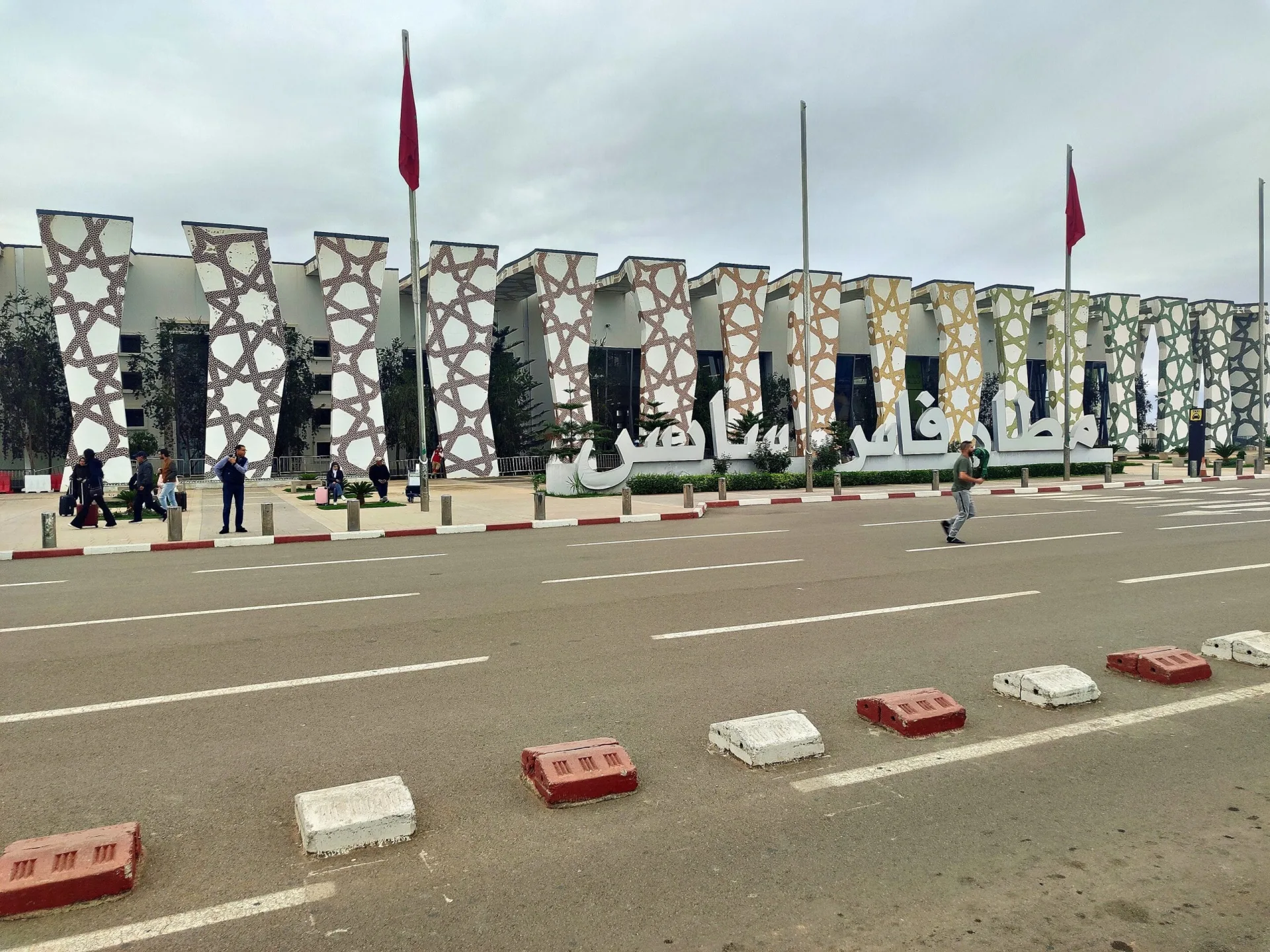
Image under free license via Wikimedia Commons: © RACHID BAYA (CC0). Source: Wikimedia Commons.