Landing in Marrakech soon and wondering how to stay connected the moment you step off the plane? Good news: the Marrakech airport WiFi exists, it is free, and it covers every terminal at Marrakech-Menara International Airport (IATA code: RAK). In practice, all you have to do is select the airport’s public network, open the landing page that appears (the “captive portal”), accept the terms of use and enter an email address to be connected within seconds. The speed is enough to check your emails, message loved ones on WhatsApp, verify your flight or book a taxi.
This detailed, independent guide explains everything: how to connect step by step, where to catch the best signal, what to do when the network struggles, and above all which alternatives to favour for a truly reliable connection throughout your stay (a local SIM card bought at the airport, an eSIM or roaming). One important point: moroccoairport.com is an independent traveller’s guide; it is not the official website of the airport or of the National Airports Office (ONDA). Our goal is simply to give you the most accurate and useful information so you arrive in Marrakech with peace of mind.
In short: WiFi at Marrakech airport in 30 seconds
- Free: yes, the WiFi at Marrakech-Menara Airport is free, rolled out by ONDA since December 2015.
- Coverage: all terminals, domestic and international zones, public halls, cafés and dining areas.
- Connection: public network → captive portal → accept the terms → email address → connected. No password and no app to download.
- Real-world speed: fine for browsing, messaging, emails and social media; limited for HD streaming or video calls.
- Best alternative: a local SIM card (Maroc Telecom, Orange, Inwi) bought in the arrivals hall, open 24/7, or an eSIM activated before take-off.
- Security: on public WiFi, avoid sensitive banking operations or use a VPN.
Free Marrakech airport WiFi: how to connect
Since December 2015, the National Airports Office (ONDA) has rolled out a free high-speed WiFi service at Marrakech-Menara Airport, following on from what already exists at Mohammed V Airport in Casablanca. The aim was clear: to give the millions of travellers who pass through the “ochre city” each year simple internet access, free of charge and with no complicated steps. Today this network is one of the basic services every passenger expects, on a par with charging points or signage.
The procedure for connecting to the Marrakech airport WiFi is deliberately quick and intuitive. Here are the exact steps to follow from your smartphone, tablet or laptop:
- Turn on WiFi on your device and, if possible, switch off mobile data to avoid any automatic switching.
- Open the list of available networks and select the airport’s public network. Its name (SSID) usually refers to the airport’s free WiFi or to ONDA; choose the open network, without a padlock.
- Let the landing page open automatically in your browser. This “captive portal” is the network’s authentication screen.
- Accept the terms of use and enter a valid email address (sometimes a phone number). No secret password and no app to install.
- Confirm: the connection is established automatically and you can start browsing immediately.
If the landing page does not appear on its own (a common situation on public WiFi), open your browser and type a simple address, for example example.com or neverssl.com. This triggers the redirect to the captive portal, allowing you to accept the terms and finalise the connection. It is the number-one trick to unlock access that seems “connected without internet”.
Duration, speed and real-world quality of the connection
The service is described as “high-speed” by ONDA, but no official bandwidth figure is published. In practice, quality mainly depends on how busy the airport is: at peak times, when hundreds of passengers connect at once in the departure lounges, the per-user speed naturally drops. So think of this WiFi as a convenient stopgap rather than a fibre connection.
Concretely, what can you expect? The signal is generally strong enough to:
- check and send emails;
- chat on WhatsApp, Messenger or Telegram (text messages, photos, voice notes);
- check your flight status, your boarding pass or your connection;
- browse the web and social media;
- book a transfer or check a map before heading into the city centre.
On the other hand, the bandwidth quickly shows its limits for demanding uses: high-definition video calls, streaming films or series, large downloads or app updates of several hundred megabytes. For these, it is better to switch to a local mobile connection (see below). Note too that, as at many airports, a session may require you to reconnect after a certain time or after the device has been asleep for a while: simply reopen the browser and go back through the portal.
Where to get the best WiFi signal at Marrakech airport
The free network’s coverage extends across all areas of the airport, both before and after security checks. In theory, then, you stay connected from the arrivals hall to the boarding gate. However, as in any large building, the signal strength varies from one spot to another.
- Landside area (before security): public hall, check-in desks, arrivals area and baggage reclaim. The network is available here, handy for letting your driver or hotel know the moment you land.
- Airside area (after security): departure lounges and duty-free zone. This is often where you will spend the most time; settle near the cafés and dining areas, which are generally well covered.
- Cafés and restaurants: venues such as coffee chains often broadcast a better-quality signal in their immediate vicinity, because the density of access points is higher there.
- Lounges: for a distinctly more stable and faster connection, the paid lounges offer the best comfort (see the dedicated section below).
A practical tip: if the signal weakens at your spot, move a few metres towards a more open area or closer to an access point. Avoid enclosed corners, spots crowded with passengers and places far from the shops, where coverage is sometimes more temperamental. To plan your route through the terminals, see our full guide to Marrakech-Menara Airport (RAK).
What to do if the WiFi does not work or is too slow
Sometimes the connection refuses to establish or becomes unusable. Before giving up, try this checklist, ordered from the simplest to the most technical:
- Portal won’t open? Manually type
neverssl.comor an http address into your browser to force the redirect. - “Connected, no internet”? Forget the network then reconnect, or turn WiFi off and back on. This restarts the authentication process.
- Page blocked? Temporarily disable your VPN just long enough to get through the captive portal, then re-enable it once connected.
- Sluggish speed at peak times? Wait a few minutes, move to another area, or close apps that consume bandwidth in the background.
- Problem persists? Restart your device: this solves a large share of network-card glitches.
If nothing works, the most reliable solution remains using your own mobile connection. This is precisely why many travellers prepare a local SIM card or an eSIM in advance: they no longer depend on the airport’s shared network and stay connected at all times, including on the way into the city centre. That is the subject of the next section.
Alternatives for staying connected beyond the Marrakech airport WiFi
The free WiFi is perfect for getting you through the wait, but it stops the moment you leave the airport. Yet that is often exactly when you need the internet most: calling a taxi, following a route, contacting your riad. Here are the three main options for a continuous connection in Morocco, with their concrete advantages.
1. The local SIM card bought at the airport
This is the cheapest and most popular option for a stay of several days. In the arrivals hall, just after baggage reclaim, you will find the official stands of the three Moroccan operators: Maroc Telecom (IAM), Orange Maroc and Inwi. These outlets are generally open 24/7, which is ideal for night flights.
It works simply: show your passport (registering your identity is mandatory in Morocco), choose a tourist plan with data, and the seller often inserts and sets up the card directly in your phone. As a rough guide, expect to pay around 50 to 120 MAD (roughly €5 to €12) for a tourist pack including a generous data allowance; the SIM alone runs about 20 to 30 MAD (€2 to €3). Inwi is often praised for its good data-to-price ratio, while Maroc Telecom offers the widest coverage away from major routes. To compare plans in detail, see our dedicated guide to SIM cards and internet in Marrakech.
Remember: buy your SIM before you clear customs, because you will not be able to return to the arrivals area afterwards. Also make sure your phone is “unlocked” (not restricted by your home operator) so it will accept a foreign card.
2. The eSIM: the digital solution
An eSIM is a SIM card built directly into your recent smartphone (most high-end iPhones and Android devices support it). The principle: you buy a data plan for Morocco before you leave, you install it at home by simply scanning a QR code, and all you have to do is activate it once you set foot in Marrakech. The major advantage: you are connected the moment you land, without queuing at a stand and without handling a physical SIM.
It is the ideal solution for a solo traveller who wants maximum peace of mind and prioritises data over voice. Just check, before buying, that your phone model is eSIM-compatible and that the plan covers the length of your stay. Prices vary widely depending on the data volume and the operator chosen; always treat displayed prices as indicative.
3. Roaming with your usual plan
The last option: keep your usual SIM card and use international roaming. It is the “zero effort” solution, since you have nothing to install. But beware: Morocco does not belong to the European pricing zone, and out-of-zone roaming can cost a great deal per megabyte. Before you leave, contact your operator to find out its exact rates or to take out a dedicated “travel” add-on. Without this precaution, a single day of browsing can translate into a hefty bill on your return. Morocco’s telecoms regulator, the ANRT, oversees local operators, but your roaming charges depend first and foremost on your home contract.
Comparison: free WiFi vs SIM card vs eSIM
To choose the right solution for your trip at a glance, here is a summary table of the three main options. Prices are indicative and may change depending on operators and promotions.
| Criterion | Free airport WiFi | Local SIM card | eSIM |
|---|---|---|---|
| Cost | Free | ~50 to 120 MAD (€5–12) | Variable (indicative) |
| Where / when | Inside the airport only | Arrivals stand, 24/7 | Install before departure |
| Connected on landing | After the captive portal | After purchase and setup | Yes, immediately |
| Passport required | No (email) | Yes (registration) | No |
| Usable in the city | No | Yes, the whole stay | Yes, the whole stay |
| Ideal for | Stopgap, waiting | Longer stay, budget | Solo traveller, no queue |
In short: use the free WiFi for the wait and your first messages, then switch to a local SIM card (the best value for a stay) or an eSIM (the most convenient) to stay connected everywhere in Marrakech and beyond.
Getting online before and after the airport: hotels, cafés and the city
The internet at Marrakech Menara airport is only the first step in your connectivity. Good news: Marrakech is a very well-equipped city for WiFi, and you will not stay offline for long once you reach the city centre.
- Hotels and riads: almost all accommodation, from a riad in the medina to a hotel in Gueliz, offers free WiFi in the rooms and communal areas. It is an almost universal standard today. To choose your neighbourhood, see our guide to where to stay in Marrakech.
- Cafés and restaurants: many cafés in the centre, particularly around Jemaa el-Fna square, Gueliz and Hivernage, offer a connection to their customers. You usually just need to ask for the password at the counter.
- Public spaces: some tourist sites and shopping centres have their own network, but coverage remains uneven; don’t rely on it for continuous use.
For getting around between the airport, your accommodation and the various neighbourhoods, a personal data connection makes all the difference (taxi apps, maps, translation). Find all our tips in the guide on getting around Marrakech, and compare your options for the trip from the airport with our comparison of airport transfers in Morocco.
Public WiFi and security: the right habits
An open, free WiFi network shared by hundreds of strangers does not offer the same level of security as a private connection. That does not mean you should avoid it, but a few simple precautions sharply reduce the risk of your data being intercepted. Here are the habits to adopt on the airport WiFi as on any public network.
- Avoid sensitive operations: if possible, postpone your online banking, payments and the entry of critical passwords until you are on a trusted connection (your mobile data, for example).
- Use a VPN: a virtual private network encrypts your traffic and makes your exchanges unreadable to any prying eyes on the same network. It is the best protection on public WiFi.
- Check for “https”: make sure the sites you visit display the padlock and an address in
https://, the mark of an end-to-end encrypted connection. - Turn off sharing: disable file sharing and network discovery on your device when you are on a public network.
- Beware of fake networks: do not connect to a suspiciously named network imitating the airport’s. When in doubt, favour your mobile connection.
Applied consistently, these habits let you enjoy the free WiFi without exposing your personal information. For anything involving money (withdrawals, currency exchange, payments), also take a look at our guide to travel budget for Marrakech.
The lounges: the best WiFi at the airport
If you are looking for the most stable and fastest connection in the airport, head for the lounges. For an entry fee (or with access included in certain premium bank cards and loyalty programmes), you get a quiet setting, refreshments and, above all, WiFi that performs far better than the shared public network, because the density of access points is high for a limited number of users.
- Pearl Lounge: a lounge accessible airside (after security), generally open continuously, with paid entry or via access programmes. It offers a more reliable connection, snacks and a comfortable space to wait or work.
- Royal Air Maroc Lounge: reserved for passengers travelling in Business or First class with the airline and its partners, with the usual airline-lounge amenities, including quality internet access.
For a traveller who absolutely must work during a long wait, or for a family who wants to stream in peace, the lounge is often the best investment. Check the access conditions and up-to-date opening hours on site, as they can change.
Practical tips for staying connected and charged
A good connection is useless with a dead battery. Here is a concrete checklist to arrive relaxed and stay operational from take-off to arrival at your accommodation.
- Charging points: the airport has power sockets (European standard, type C/E, 220 V) and USB ports in the waiting areas, often near the seats. Spot them as soon as you reach the boarding area.
- Bring a power bank: it is the essential accessory. It saves you from an occupied socket and keeps you connected on the way into the city.
- Pack an adapter: if your devices are not on the European standard, slip a universal adapter into your cabin bag.
- Download your apps before you leave: boarding pass, your airline’s app, an offline map of Marrakech, a ride-hailing/taxi app, messaging and, if you use one, your VPN. Once there, you will have them without depending on an uncertain connection.
- Offline maps: save the Marrakech area in your mapping app for offline use so you can navigate even without a network.
- Capture your essential details: take a screenshot of your hotel booking, your riad’s address and your ticket, so they are accessible without a connection.
Marrakech-Menara Airport at a glance
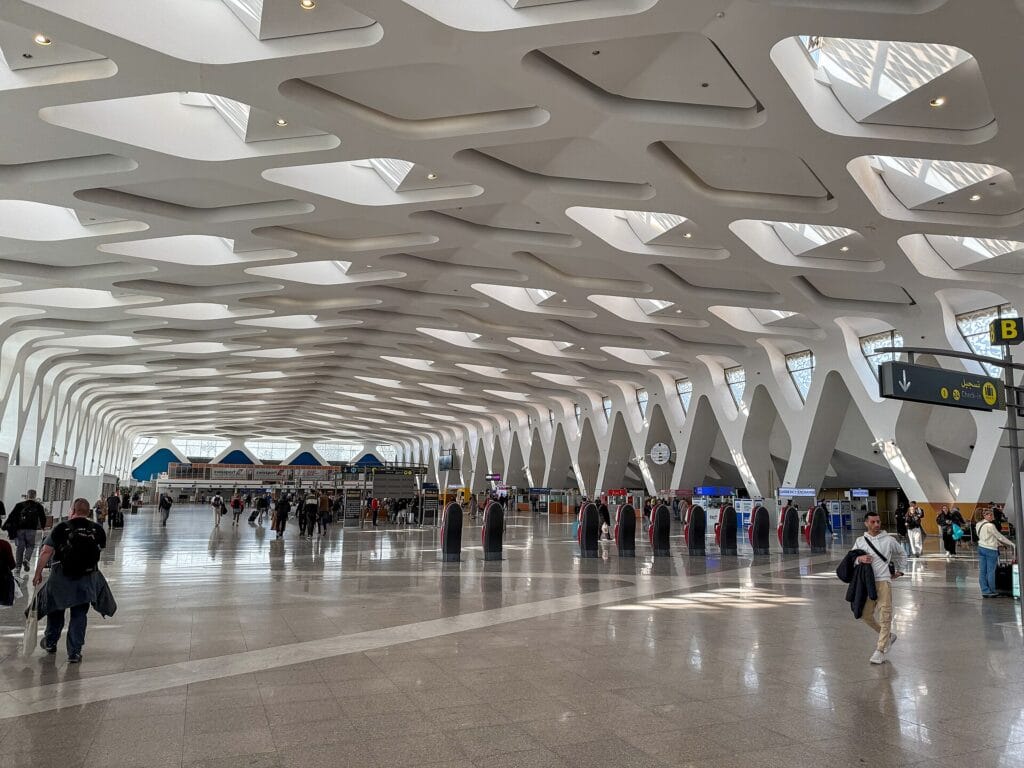
Located just 4 to 6 kilometres south-west of the city centre (about 15 to 20 minutes by road), Marrakech-Menara International Airport (IATA code: RAK) is the main gateway to the “ochre city” and the second-busiest airport in Morocco, after Casablanca. It welcomes several million passengers each year, drawn to Marrakech and its region.
The airport is organised around three modern terminals and has a capacity of roughly 9 million passengers a year, with expansion projects to keep pace with the steady growth in traffic. Beyond the free WiFi, the airport offers a full range of services: duty-free shops and Moroccan crafts airside, cafés and restaurants, cash machines and currency exchange offices, a pharmacy and a medical unit, services for passengers with reduced mobility, car-rental desks and telecom operators’ stands in the arrivals hall. To learn everything about the terminals, services and access, see our guide to Marrakech-Menara Airport. And if you are planning the rest of your stay, our guide on what to do in Marrakech will help you plan your visits. To dig deeper into the airport’s historical and technical data, the Wikipedia page for Marrakech-Menara Airport is a good reference.
Frequently asked questions
Is the WiFi really free at Marrakech airport?
Yes. The WiFi at Marrakech-Menara Airport is free. It was rolled out by the National Airports Office (ONDA) in December 2015 and covers all terminals, domestic and international zones, public halls and dining areas. To connect, simply select the public network, accept the terms on the captive portal and enter an email address.
Is the airport WiFi available 24/7 and throughout the terminal?
The network is available continuously and its coverage extends across all areas of the airport, before and after security checks. The signal strength can nonetheless vary depending on the location and how busy it is: it is generally better near the cafés, the dining areas and the departure lounges.
Do you need a password or an app to connect?
No. There is no secret password to obtain and no app to download. You select the airport’s open network, a landing page (captive portal) appears, you accept the terms of use and you enter an email address (sometimes a phone number). The connection is then established automatically.
Can you buy a SIM card at Marrakech airport?
Yes. The three Moroccan operators (Maroc Telecom, Orange and Inwi) have official stands in the arrivals hall, after baggage reclaim, generally open 24/7. Bring your passport, which is required to register the card. Expect to pay around 50 to 120 MAD (€5 to €12) for a tourist pack with data, an indicative price. Remember to buy your SIM before you clear customs.
Free WiFi, SIM card or eSIM: which to choose?
Use the free WiFi for the wait at the airport and your first messages. To stay connected throughout your stay, prefer a local SIM card (best value, ideal for a controlled budget) or an eSIM if your phone is compatible and you want to be connected the moment you land without queuing. Roaming on your usual plan is the simplest, but often the most expensive outside Europe.
Is the airport’s public WiFi safe?
Like any shared public network, it is convenient but less secure than a private connection. Avoid sensitive banking operations, check that sites display “https” and, ideally, use a VPN to encrypt your traffic. For payments and critical logins, favour your own mobile connection.
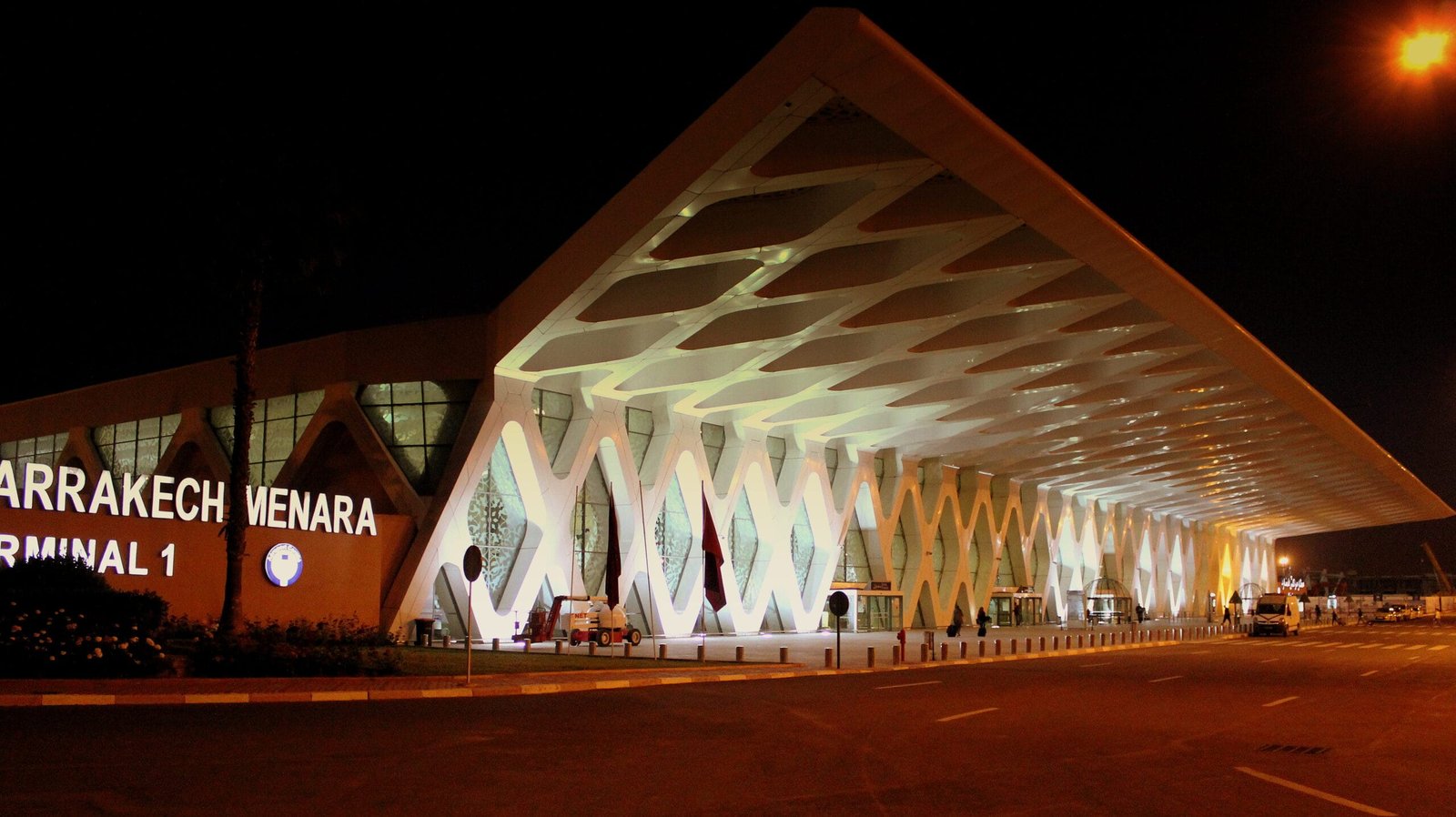
Image under a free licence via Wikimedia Commons: © calflier001 (CC BY-SA 2.0). Source: Wikimedia Commons.